Step 3: the agreement and the fee
Answers: how does the customer sign? when does the invoice go? what if the fee is not $600 or the shop pays? how do I send a custom invoice? where is the signed agreement?
The customer signs on their phone from the link. pdrOS records the signature, invoices the $600 through Square by text and email, texts you, and gives you the Send the demand task.
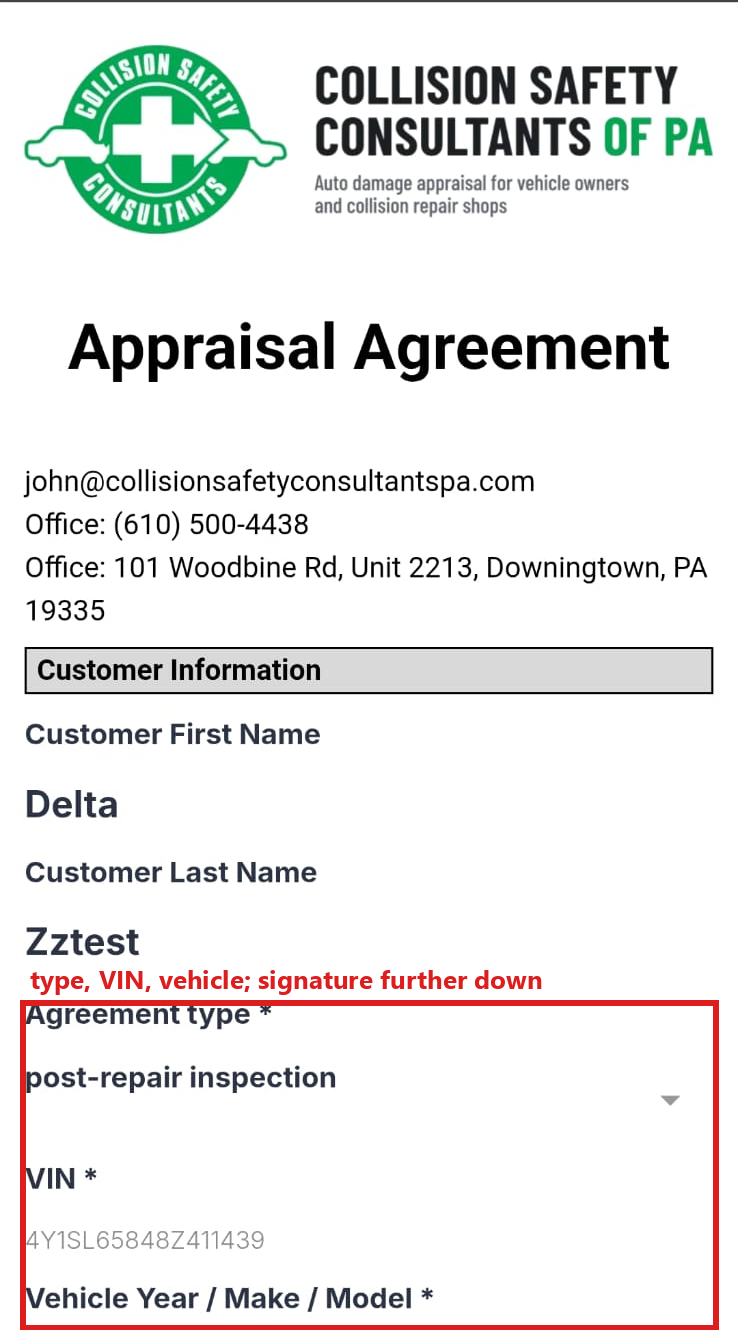
What the customer does
They open the agreement link and read the agreement for their case type (the short version at the top, the full wording below). They check the VIN and Vehicle Year / Make / Model, type their name, sign with a finger and submit. It takes two minutes.
What happens, within a minute
- Agreement signed date (folder CASE) is written and the case is marked hired.
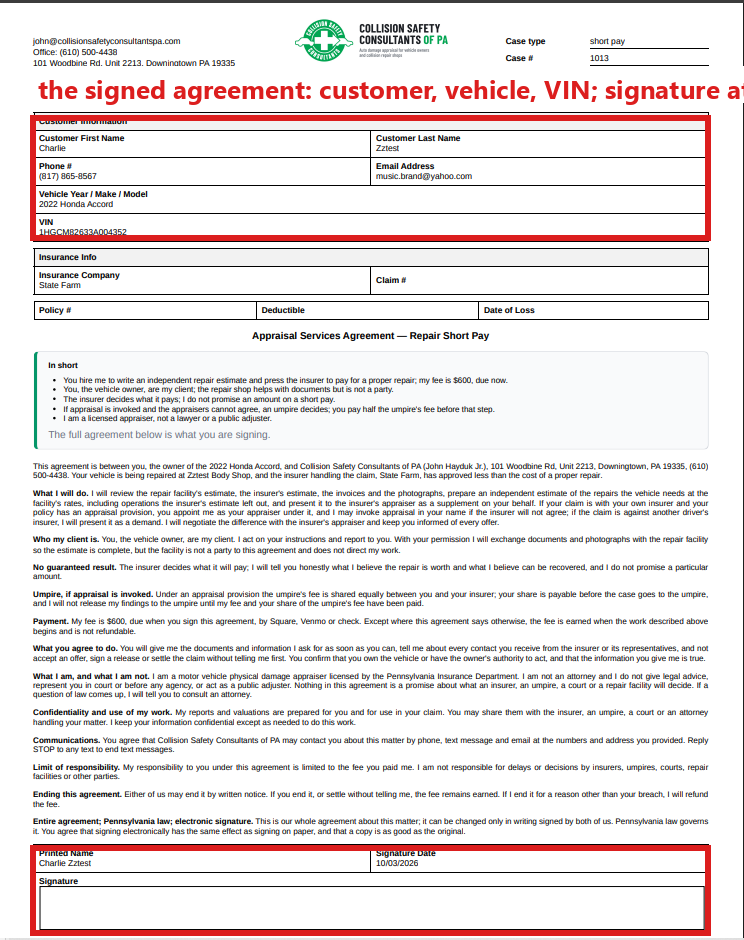
- The signed agreement PDF is saved in Repair Authorization Form PDF (folder FORM | Repair Authorization). It carries your logo, the case type, the RO number (your case number), the wording for that type and their signature.
- Your phone: "NAME signed the [type] agreement (case #N). The fee invoice is going out."
- The case moves to 1.5 Hired; Case status changes to "Agreement signed. We are preparing the demand to [insurer]."
- You get the task Send the demand · NAME. You mark it complete after you send the demand (Step 4).
- The fee: see below.
The fee
| What the contact profile says | What pdrOS does |
|---|---|
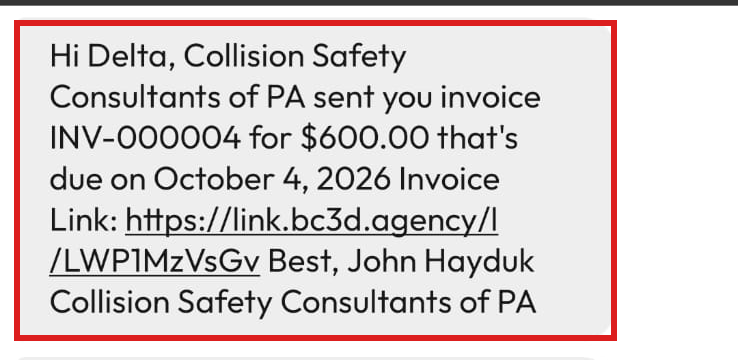
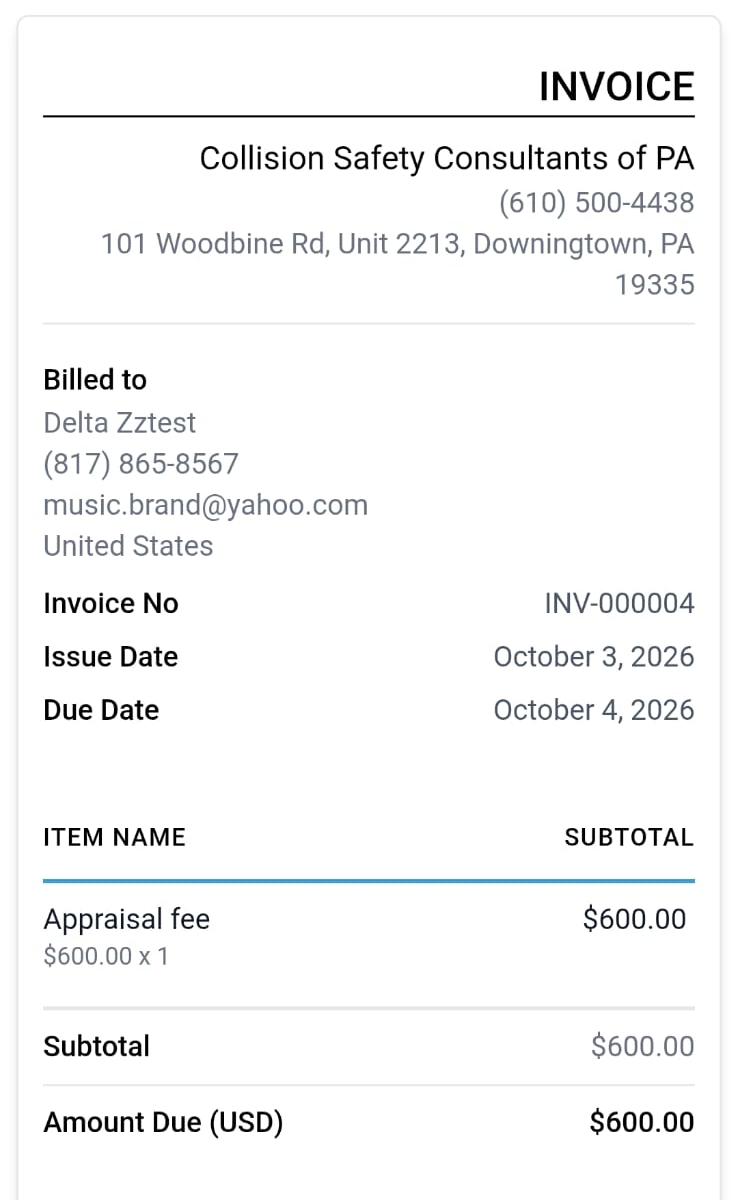
| Fee amount $600 and Fee payer Owner (folder CASE; the normal case) | Sends the Square invoice "Appraisal fee" for $600 by text and email, due the next day. |
| Inspection location Travel (folder SHORT PAY & INSPECTION) | The invoice is "Appraisal fee + travel", $1,200. |
| Any other Fee amount (folder CASE) | No automatic invoice. Task Send a custom invoice · NAME: send it by hand from Invoices (steps below). |
| Fee payer Shop (folder CASE) | No invoice to the customer. Task Invoice the shop · NAME (steps below). |
Card payments run through Square, connected with us on your first day. If a card payment ever fails, tell us (in the left menu, click Support, then the orange Support Ticket button). When a Square invoice is paid by card, pdrOS sets Fee paid (folder CASE) to Square for you and texts you. Venmo and checks you record yourself (see Fee and close).
Sending a custom invoice, or invoicing the shop
Do this when you get the task Send a custom invoice · NAME or Invoice the shop · NAME.
First, look up the fee:
- In the left menu, click Contacts.
- Click in the search box at the top of the list and type the customer's last name or RO number.
- Click the customer's name in the list. Their contact profile opens. You are in the right place when you see the customer's name at the top left and their texts in the middle.
- On the left side of the contact profile, scroll down to the folder CASE and click the folder's name to open it.
- Read the amount in Fee amount. You only looked, so there is nothing to save.
Then make the invoice:
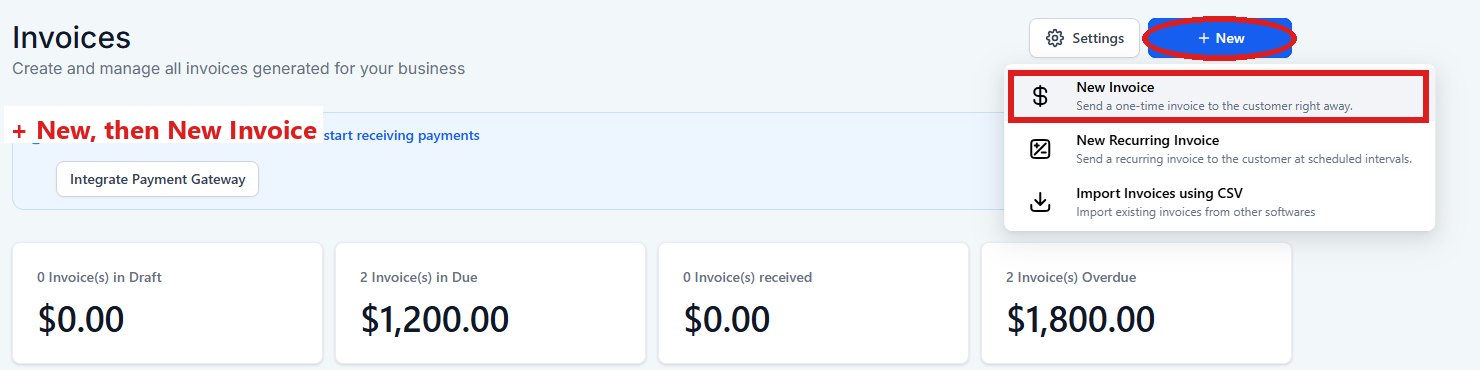
- In the left menu, click Invoices. You are in the right place when you see the list of invoices, each with its status.
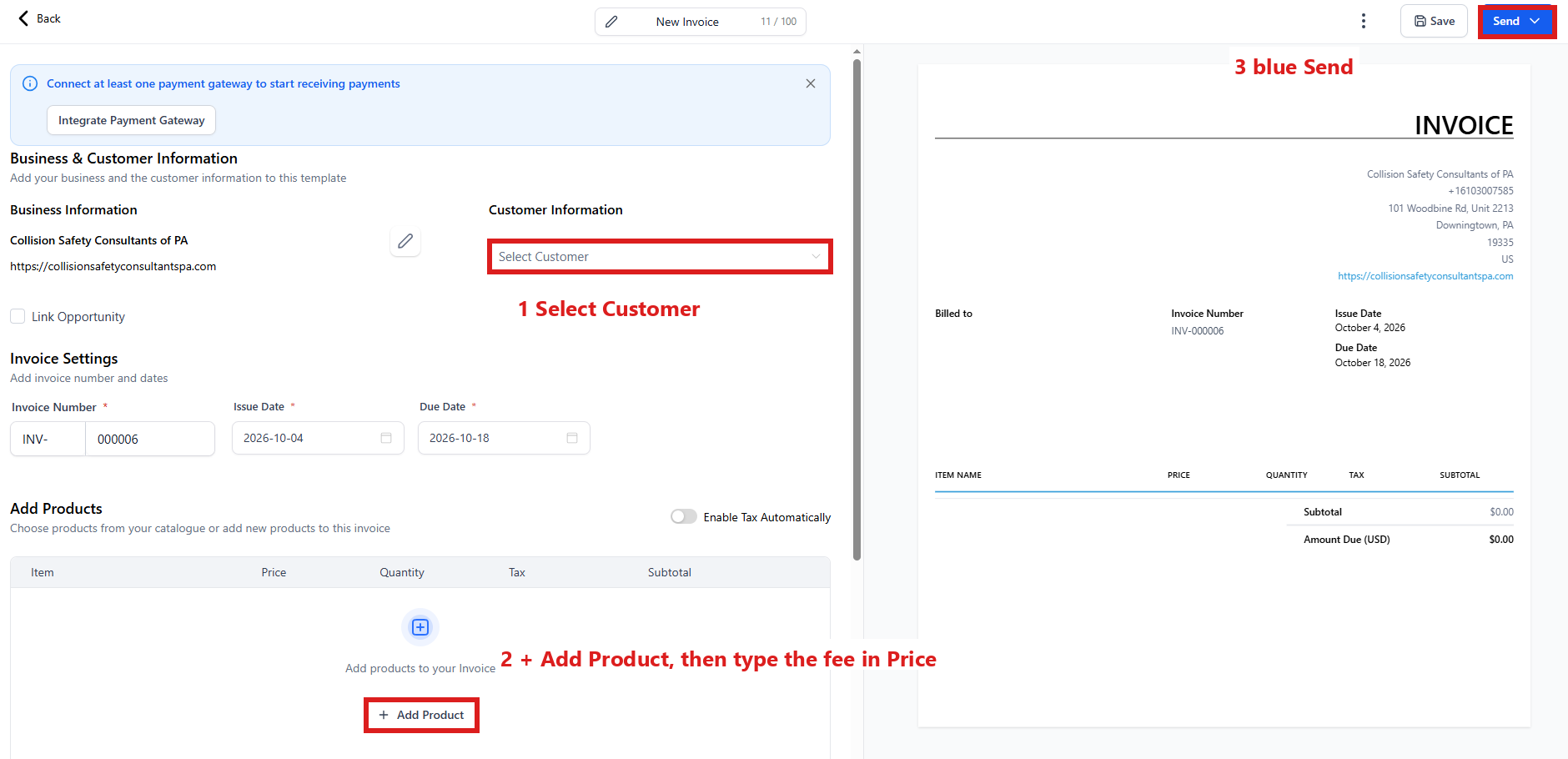
- Click the blue + New button at the top right, then New Invoice.
- Under Customer Information, click the box Select Customer, type the customer's last name and click their name (for a shop, type the shop's name).
- Under Add Products, click + Add Product and pick Appraisal fee.
- Click in the Price box on that line and type the fee (numbers only, no dollar sign).
- Click the blue Send button at the top right.
- A window asks how to send it. Choose email and text, then click its send button.
- In the left menu, click Tasks.
- Click the row of the task Send a custom invoice · NAME (or Invoice the shop · NAME). If the task is already gone when you come back, pdrOS closed it because the step happened.
- Click Open Full View.
- Click the green Mark Complete button at the bottom right.
If they sign twice
A second signature changes nothing: one note, no second invoice.
When the customer is with you
If a customer is with you (an inspection, a visit), open their agreement link on your computer and let them sign on your screen.
- In the left menu, click Contacts.
- Click in the search box at the top of the list and type the customer's last name or RO number.
- Click the customer's name in the list. Their contact profile opens. You are in the right place when you see the customer's name at the top left and their texts in the middle.
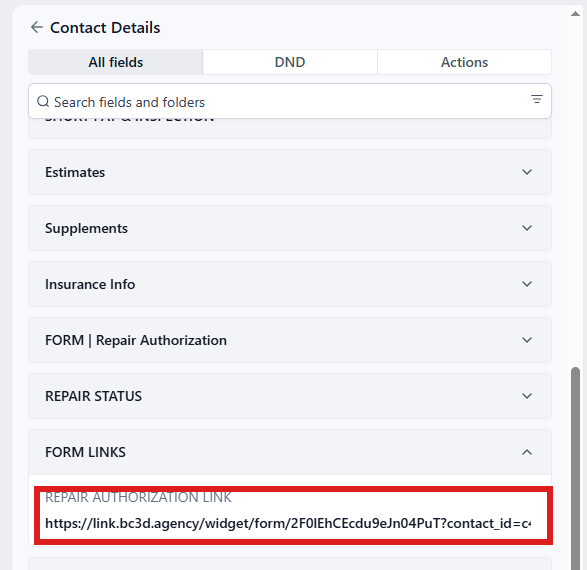
- On the left side of the contact profile, scroll down to the folder FORM LINKS and click the folder's name to open it.
- Click in the box under REPAIR AUTHORIZATION LINK. Do not type anything in this box; you are only copying.
- Press Ctrl and A together to select the whole link (on a Mac, Cmd and A).
- Press Ctrl and C together to copy it (on a Mac, Cmd and C).
- Press Ctrl and T together (on a Mac, Cmd and T). A new browser tab opens.
- Click in the address bar at the top of the browser.
- Press Ctrl and V together to paste the link (on a Mac, Cmd and V).
- Press Enter. The agreement opens.
- Turn the screen to the customer and let them read, sign and submit.
If a blue Save button appeared at the bottom of the left side after step 5, you changed the link by mistake: do not click it. Click Cancel next to the blue Save button; the field goes back to what it was.
You only copied a link, so there is nothing to save. The same link is also in their texts, in the middle of their contact profile (and under Conversations in the left menu).
Your copy of the signed agreement
- In the left menu, click RO Hub.
- Click in the box under RO #: at the top (it reads Enter repair order number), type the RO number (your case number) and click Search.
- Click the small Docs button, to the right of the Contacts button. A window lists the case's documents.
- Click Repair Authorization Form. The signed agreement opens in a new browser tab.
The unsigned inspection
On an inspection, pdrOS asks the customer to sign when they book and again the day before. If they still have not signed one hour before the visit, your phone gets a text with their agreement link. Let them sign on your phone when they arrive.
Did this page not match what you see? Ask the support chat or open a support ticket. We change the page, not you.