A total loss, start to finish: the stages
Answers: what stage is my case at? where do I see it? what does each stage mean? what does the customer hear at each stage?
A total loss moves through numbered stages from 1.1 New case to 6.3 Closed. At each stage the field Case status (folder CASE on the contact profile) holds one plain sentence, and it is what Sarah reads. Here is the map; the following articles take one step each.
| Stage | Name | Case status (what Sarah says if the customer asks) |
|---|---|---|
| 1.1 | New case | Case opened. We have sent you what we need from you to get started. |
| 1.2 | Documents in | We have your documents and are working on the valuation. |
| 1.3 | Report written | Our report is written. John Hayduk is finalizing the range to send you. |
| 1.4 | Range sent | We sent you our valuation and the agreement link. We are waiting for you to sign. |
| 1.5 | Hired | Agreement signed. We are preparing the demand to [insurer]. |
| 3.1 | RTA or demand sent | The demand for appraisal went to [insurer] on [date]. Their appraiser has seven to ten business days to contact us (day 10 on the calendar). |
| 3.2 | Other appraiser in contact | The insurer's appraiser is in contact. The two appraisers are exchanging reports. |
| 3.3 | Report out | Our report went to their appraiser on [date]. We are waiting on theirs and follow up at day ten. |
| 4.1 | Their report or offer in | The other side has answered with their figure. We are reviewing it. |
| 4.2 | Negotiating | We are negotiating. Our latest counter went out on [date]. |
| 4.3 | Umpire | The case is with the umpire. We are waiting on the decision. |
| 4.4 | Pre-court (claimant cases only) | We are preparing for court. |
| 5.1 | Award signed or settled | Settled. [Insurer] will contact you for the paperwork and pays you directly. Your settlement summary is on its way. |
| 5.2 | Summary sent | Settled. Your settlement summary was emailed to you. |
| 6.1 | Fee due | Settled. Our invoice is still open; it is in your email. |
| 6.2 | Outcome pending | We are waiting to hear how the claim ended. Tell us any time. |
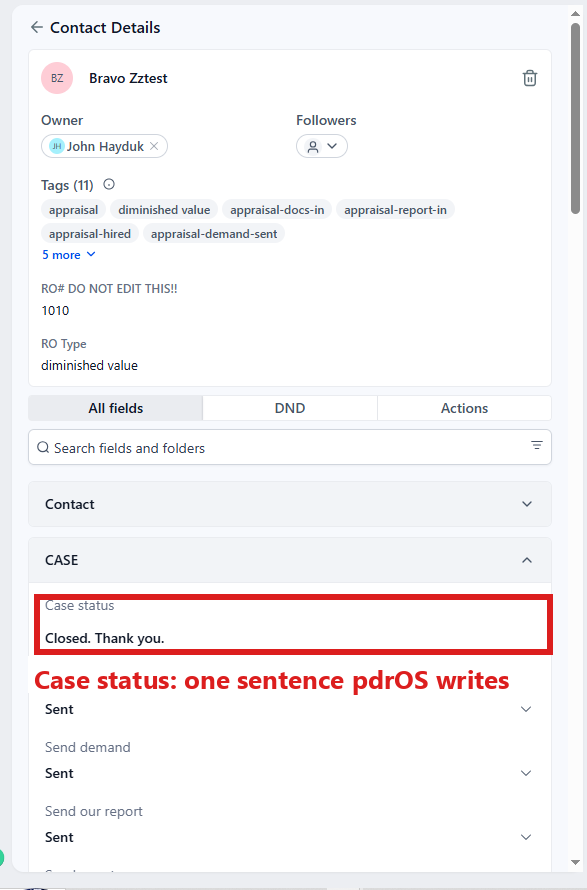
| 6.3 | Closed | Closed. Thank you. |
Stages 2.1 and 2.2 belong to inspections (booked, report sent).
See where one case stands
- In the left menu, click Contacts.
- Click in the search box at the top of the list and type the customer's last name or RO number (your case number).
- Click the customer's name in the list. Their contact profile opens. You are in the right place when you see the customer's name at the top left and their texts in the middle.
- On the left side of the contact profile, scroll down to the folder CASE and click the folder's name to open it.
- Read Case status. Its sentence matches one row of the table above.
You only looked, so there is nothing to save. pdrOS writes Case status for you at every stage.
What moves a case
You never drag a case from stage to stage. pdrOS moves it when you do one of three things: upload a file, type a number or pick a date, or set a Send switch.
See every open case at once: the case board
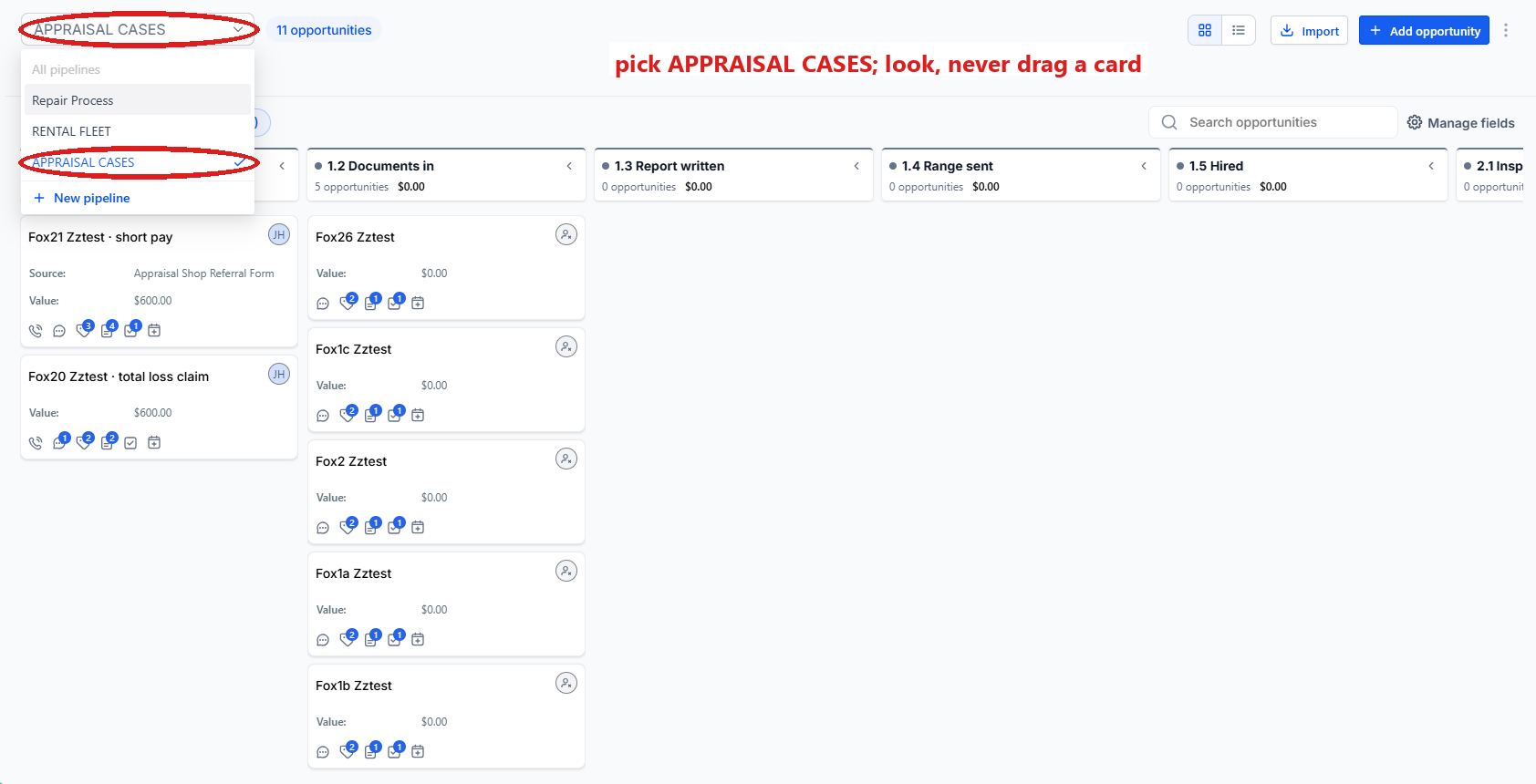
The case board shows every open case as a card in its stage. It is a good Monday-morning screen.
- In the left menu, click Repair Stages.
- At the top left, pick the pipeline APPRAISAL CASES.
- Each open case is a card in the column of its stage, 1.1 to 6.3. You are in the right place when you see columns of cards headed by stage numbers.
Look only: never drag a card; pdrOS moves them.
The steps that follow
- Documents
- Your report and the range
- The agreement and the fee
- The RTA
- The other appraiser
- Negotiation
- The umpire
- The award
- The settlement summary
- Fee and close
- Other endings
Did this page not match what you see? Ask the support chat or open a support ticket. We change the page, not you.